
THE IATPM FIELD GUIDE
Games & controls
Two animated examples, clear steps and help when you get stuck.
01 / Try it yourself
Read Help, then try one move.
Each game has its own goal and buttons. Oven Riot is our example: its Help explains enemies, explosions, safe corners and the actual controls.
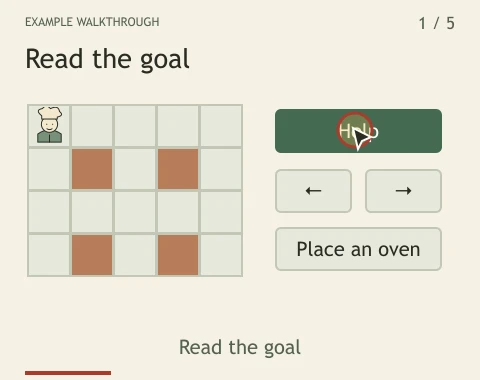
Choose a card with the dots or arrows. Play advances every three seconds and stops at the last card.
Illustrated example. Names, balances and outcomes are examples, not live player records.
Try it yourself
- Choose a game from Games. Open Help or the ? button before starting.
- Read the goal, then compare the pictured pieces with the real board. Learn which objects help and which can hurt you.
- Use that game’s controls table. In Oven Riot, arrows or WASD move, Space places an oven, and the on-screen buttons do the same jobs.
- Try practice when offered. Pause or reopen Help when you need to check a rule.
02 / Try it yourself
Make the controls fit your hands.
A comfortable layout leaves the board visible and the important buttons within reach. Available settings vary by game.
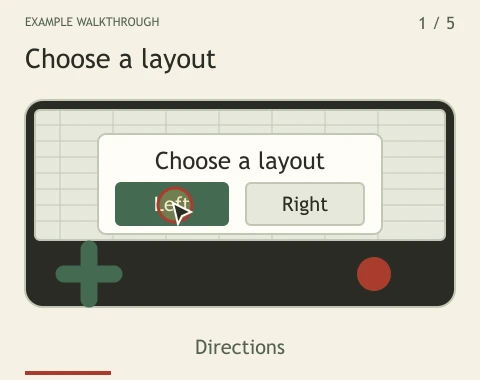
Choose a card with the dots or arrows. Play advances every three seconds and stops at the last card.
Illustrated example. Names, balances and outcomes are examples, not live player records.
Try it yourself
- On a phone, try portrait and landscape before a serious run.
- Open the touch-control settings when available. Pick the side and size that suit your hands; check that you can still see the board.
- Use Fullscreen when offered. Use the game’s Back control or Escape on a keyboard to leave it. A phone browser may also provide its own exit gesture.
- Choose light or dark appearance from the top menu. Sound is controlled inside each game.
Know what you are looking at
- Help / ?
- The rules and controls for the game you opened.
- Practice
- A place to learn when the game offers it. Practice results do not enter the shared ranked board.
- Pause / Resume
- Stops and resumes solo play. Shared duels have their own pause limits; read their Help.
If something does not work
The game does not react to my keys.
Select the game board first and close any open dialog. Check the game’s controls; typing in a text field should not move a character.
The controls cover the board.
Try another orientation or a smaller touch layout. Leave fullscreen and adjust the controls before resuming.
Something still feels wrong.
Tell us the game, device, browser and steps that caused it. A screenshot can help; do not include private information.