
THE IATPM FIELD GUIDE
Kitchen staff & campaigns
Two animated examples, clear steps and help when you get stuck.
01 / Try it yourself
Give your kitchen staff a role.
Your crew is permanent. Kitchen staff levels survive cookoffs; each purchase shows its own XP requirement and Coin cost.
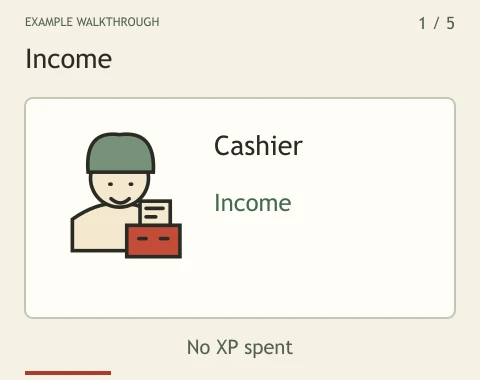
Choose a card with the dots or arrows. Play advances every three seconds and stops at the last card.
Illustrated example. Names, balances and outcomes are examples, not live player records.
Try it yourself
- Start with a cashier for income. Add a security guard to reduce cookoff losses and the competitor’s chances.
- Choose a delivery rider for rivalry campaigns, or a pizza chef to improve your cookoff success chance.
- An accountant automatically banks a share of new income. Higher kitchen staff levels increase that protected share.
- Check the next kitchen staff level, required XP and Coin cost before choosing Hire kitchen staff or Upgrade kitchen staff. XP stays with you after buying.
02 / Try it yourself
Plan a campaign, then review the results.
A rider represents your pizzeria against your chosen rival on scheduled shifts. A campaign does not guarantee a cookoff win.
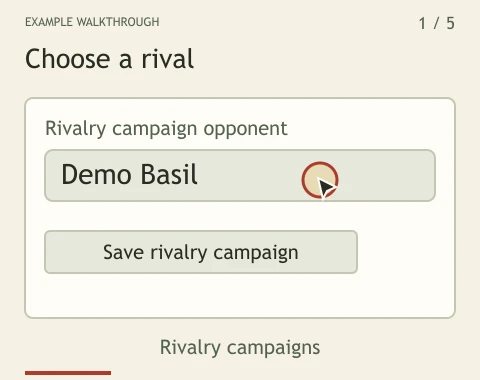
Choose a card with the dots or arrows. Play advances every three seconds and stops at the last card.
Illustrated example. Names, balances and outcomes are examples, not live player records.
Try it yourself
- Hire a delivery rider first. In Plan a rivalry campaign, enter another pizzeria owner’s registered nickname.
- Choose Save rivalry campaign. The saved target remains selected until you change or clear it.
- The rider uses the shared cookoff allowance and normal protection rules. A protected, blocked or unavailable target can stop the attempt.
- Return to Recent cookoffs to review fees and Coin losses. To stop the campaign, clear the opponent field and save again.
Know what you are looking at
- Cashier
- Produces Coins, including while you are away. It does not produce XP.
- Security guard
- Reduces cookoff losses and the rival’s chance of winning. It does not guarantee protection.
- Delivery rider
- Attempts your saved order. Higher levels shorten the time between shifts, within the shared allowance.
- Pizza chef
- Improves cookoff success; the opponent and protection rules still matter.
- Accountant
- Banks a growing share of newly generated income. Existing till Coins are not moved automatically.
Collect income without keeping a tab open.
Cashiers accrue income while you are away, for up to seven days between collections. Return to the pizzeria or refresh it to collect. Partial hours carry forward. The displayed hourly rate follows your current cashiers; an accountant banks a share of new income. Long absences do not create unlimited stored income.
If something does not work
My rider has not competed yet.
Orders run on scheduled shifts, not immediately after saving. A protected or unavailable target can prevent an attempt. Check your order and cookoff history later.
My bank did not receive my old till balance.
Accountants protect a share of new income. Use Deposit if you want to bank Coins already in your till.
Can a cookoff remove my crew?
No. Cookoffs affect exposed Coins. Your XP and kitchen staff levels stay intact.