
THE IATPM FIELD GUIDE
Forum & conversations
Two animated examples, clear steps and help when you get stuck.
01 / Try it yourself
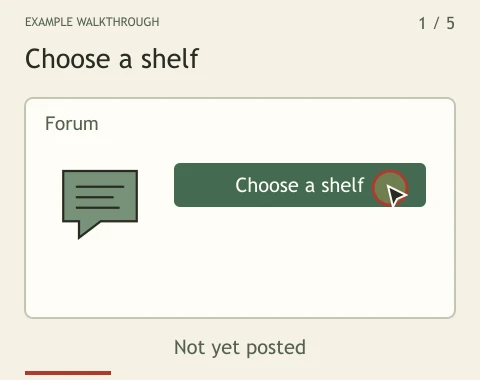
Bring a recommendation to the right shelf.
Best Things groups things worth trying. Streaming Shelf is for films and shows. Everyone can read; sign in to post, reply or vote.
Choose a card with the dots or arrows. Play advances every three seconds and stops at the last card.
Illustrated example. Names, balances and outcomes are examples, not live player records.
Try it yourself
- Choose the board, then a topic or shelf. Use New topic or New shelf when the right category is missing.
- Choose Write a post or Nominate a favorite. Add a clear title and explain what you tried and why you recommend it.
- For Best Things, add countries where it is sold. For Streaming Shelf, paste an IMDb title link and check the matched title and cover before posting.
- Review the text, then post it. Open replies to continue the discussion; use Edit on your own post if something needs correcting.
02 / Try it yourself
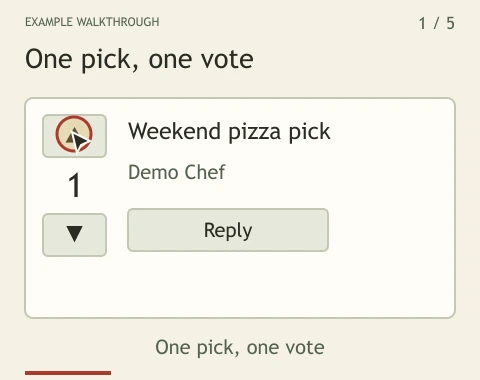
Vote once. Change your mind anytime.
Ranking uses upvotes minus downvotes. Pizza stamps express a reaction; they are separate from the ranking vote.
Choose a card with the dots or arrows. Play advances every three seconds and stops at the last card.
Illustrated example. Names, balances and outcomes are examples, not live player records.
Try it yourself
- Choose the up arrow for a recommendation you support, or the down arrow for one you would not recommend.
- Your selected arrow stays marked. You have one ranking vote per post, not one vote on every click.
- Select the same arrow again to remove your vote, or the other arrow to change it.
- Open Replies to read the discussion. Use Reply to add your own experience, or Quote to respond to particular words.
Know what you are looking at
- Ranking arrows
- One changeable vote per post. Top picks sorts by the vote total.
- Pizza stamps
- A quick reaction, not an extra ranking vote.
- Player name
- Open the author’s player card to see public records, pizzeria kitchen staff and available player actions.
Find it near you.
Best Things: filter by country. Use + beside the countries to confirm where you personally found the item. Member reports do not guarantee stock. Streaming Shelf: choose your country, open Where to watch and check the source’s current offer before subscribing.
Read a translation without losing the original.
Public posts and replies prepare translations in the background. Choose your site language to read a saved version, and open the original below it. If a translation is delayed or unavailable, the original stays readable. Edits replace the old translation.
Read in another languageBring something worth sharing.
- Sign in to post, reply or vote. Guests can browse and listen to published music.
- Best Things: choose a shelf, name what you tried, explain why, and choose where it is sold.
- Streaming Shelf: paste an IMDb, Netflix, Apple TV, Prime Video or Disney+ title link. Check the link; the title fills automatically after a verified match. Confirm the title and cover before posting.
- Music: share a Spotify, YouTube Music or KKBOX song or album link. Check the title and artist. Links to other services appear only when matched; missing matches stay unverified.
When a guest chooses a member action, a sign-in or create-account window opens here. Your board and topic stay in place. After signing in, choose the action again; nothing is posted or voted automatically.
Streaming Shelf uses catalog covers when available and does not accept photo uploads. Photo sharing on the other forum boards is unchanged.
Share your own music.
- Confirm your email address, choose My original MP3 in the music category, then select your file. Each MP3 can be up to 20 MiB and 20 minutes long.
- Only upload music you created and have the rights to share. Tick the author-and-rights checkbox to grant IATPM a non-exclusive license to store and stream it on this site.
- Upload, then publish your post. Your audio becomes public: anyone, including guests, can play it. Remove the post to stop on-site playback. Unpublished uploads expire after one hour.
Choose when to load a music player.
Official players and their artwork load only when you click to load them. That connects your browser to the service; it may require your account there. IATPM does not copy or host music from those catalogs.
If something does not work
I cannot post or vote.
Check that you are signed in and that the topic is available. Photo uploads require a confirmed email address. Keep a copy of your draft if the connection is unstable.
A recommendation’s score changed.
Other members can vote too. Your highlighted arrow shows your current vote, not ownership of the total.
I need to correct or report a post.
Use Edit or Remove on your own content. Use Contact to report a problem. Never post passwords or private contact details in a public thread.